


Color Fill 3D
4.614.78K Reviews
App Specs
- Version
- 300000.9.0
- Updated On
- License
- Free
- Downloads
- 100,000,000+
- Developer
- CASUAL AZUR GAMES
- Categories
- Puzzle
- Platform
- Android, iOS
Screenshots
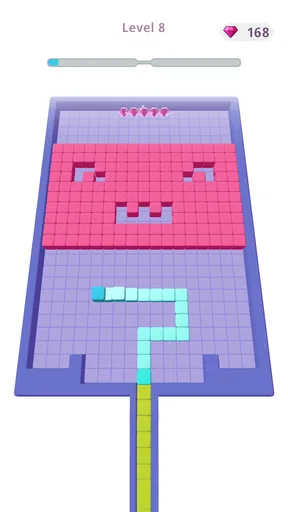
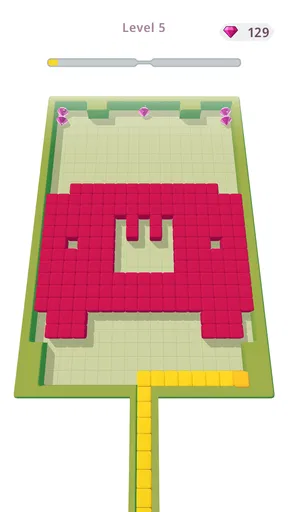
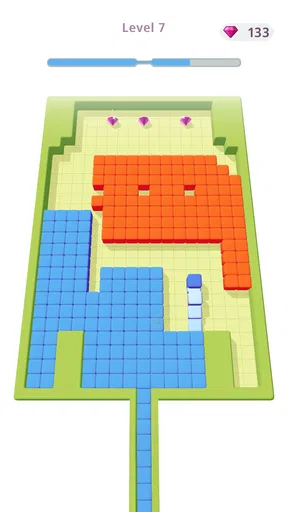
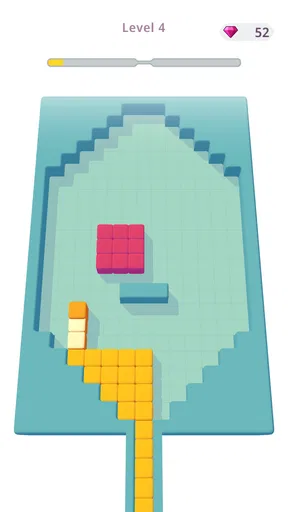
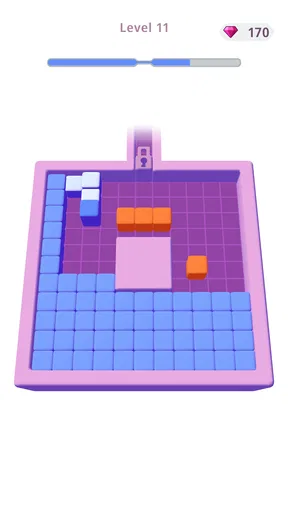
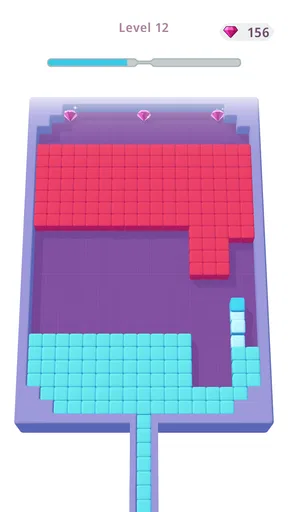
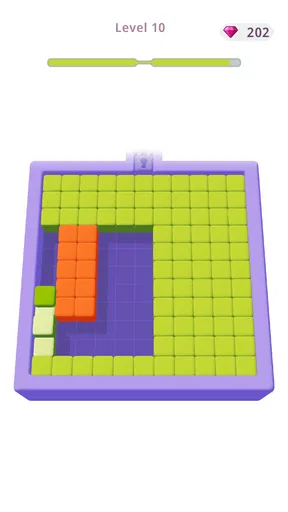
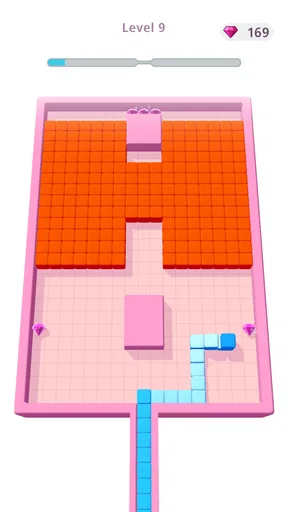
 Analysis by AppCompare
I like puzzle games that give me something to think about without demanding a long session or a complicated setup. Color Fill 3D is built around a simple idea—spreading color across a grid—but its appeal comes from the small decisions hidden inside each level. A quick swipe can feel obvious at first; as the paths become less direct, I find myself pausing to consider how to cover the board without making the task harder than it needs to be.
How Filling the Grid Shapes Each Puzzle
The defining pleasure here is watching an empty-looking space become a vivid, completed board. That visual change gives every move a clear purpose: I can immediately see what my swipe accomplished and what remains. The game’s color-block puzzle format is easy to understand, but the route through a more intricate grid can still call for a little planning. It is a useful middle ground between a purely reflex-based pastime and a puzzle that asks me to sit down for a lengthy session.
Simple controls, decisions that build gradually
The premise is straightforward: you swipe to fill the grid with color. Sounds easy, right? Well, as you progress, the levels become more intricate and challenging. The grids get larger, and the paths more twisted, demanding a bit of strategic thinking. But don’t worry, it never feels overwhelming.
A nifty feature is the ability to undo moves. This helps in experimenting with different strategies without the fear of messing up completely. The satisfaction of watching the color fill the grid is oddly soothing. It’s like watching a painting come to life with every swipe.
In practice, I get the most from undo when I treat it as a way to test an idea rather than a button to press automatically. I can try a route, look at how it changes the remaining space, and backtrack if that choice leaves the next move awkward. That makes a mistaken swipe informative instead of costly. It also encourages a more thoughtful rhythm: make a move, inspect the board, then decide whether to continue. If I am only trying to finish as fast as possible, I miss much of what makes the puzzle satisfying.
One useful habit is to scan the whole grid before the first swipe, especially once the paths stop looking obvious. I look for narrow turns and sections that seem easy to leave until later, then consider whether the route I am about to take will still let me reach them. This is not a complicated planning system; it is simply a moment of attention that can save me from undoing several moves. The boards reward looking ahead, but they do not require me to map out every step before I begin.
A visual style that keeps the board easy to read
The visuals are minimalistic yet vibrant. The game uses a variety of colors that are pleasing to the eye, making each level a fresh experience. It’s a perfect example of how simplicity can be beautiful. As for the sound, it’s not intrusive at all. The subtle sound effects and background music complement the gameplay perfectly, adding to the overall relaxing vibe.
Worth Reading Before You Choose

Flipboard Shows What News Apps Must Do Beyond the Feed

Switching to Android Auto Means Rethinking Your Driving Routine

Google Calendar Makes a Crowded Week Easier to Manage

Ludo King Makes the Most of the Minutes Between Plans

Baby Panda World Brings Quick Play to Modern Phones, but Its Game Library Feels Busy

ESPN’s Live Game View Makes Following Close Games Easier
That uncluttered presentation matters beyond appearance: the central task is to read the shape of the board and understand where color still needs to go. I appreciate that the bright fill is the focus, rather than a busy interface competing for attention. It makes the game easier to follow when I am playing briefly between other tasks. At the same time, the calm presentation should not be mistaken for a guarantee that every level feels effortless. A clean board can still present a route that takes a couple of tries to understand.
Where it fits into an ordinary day
One of the things I appreciate about Color Fill 3D is its accessibility. You can pick it up anytime, play a few levels, and put it down without any fuss. It’s perfect for those quick breaks during your day or when you’re just lounging around.
For example, I can imagine opening it while waiting for a delayed appointment or taking a short pause between chores. I can focus on one grid, enjoy the visible progress, and stop when I need to return to what I was doing. The undo option makes that kind of casual play less tense because an imperfect move does not have to end the attempt. I would still choose a quieter moment for a level that has me reconsidering its route; if I am repeatedly interrupted, I am more likely to swipe without thinking and lose the puzzle’s satisfying logic.
It is also a better fit for short bursts than for someone looking for a narrative, a competitive match, or a deep puzzle campaign. I would reach for it when I want a clear little task, not when I want a game to occupy an entire evening with a complex world to explore. That distinction is useful when choosing between casual grid puzzles and games built around longer progression or more demanding mechanics.
Its place among casual puzzle games
Compared with familiar alternatives such as number puzzles, match-style games, or word challenges, this one puts the emphasis on spatial planning and visible coverage. There is no need to search for a vocabulary answer or compare a row of matching pieces; I am thinking about how a path moves through a board and what remains to be filled. That gives it a different kind of mental break. People who enjoy tracing routes and seeing a space transform may find it more calming than a score-focused puzzle, while players who want varied objectives or a story may prefer another style.
The game is free to download, and it includes in-app purchases priced from $0.99 to $99.99 per item. I would keep that in mind before handing a device to a child or making a purchase during a casual session. The game has an Everyone age rating, but that rating does not tell me whether its particular puzzle style will suit every player. Anyone mainly looking for a no-cost experience can start without paying; purchases are a separate consideration rather than a requirement I would assume from the basic puzzle idea.
Ads are the main point of friction in the original experience. They can interrupt the otherwise quiet flow, and whether that bothers me depends on how often I am playing and how much I value uninterrupted sessions. Since the game is free, I understand why advertising may be part of the experience, but I would not describe it as invisible. I would try the game first and decide whether the interruptions are acceptable before considering any purchase. I would not buy anything solely on the assumption that it removes ads, because the available purchase details do not establish that.
Who is likely to enjoy it—and who may not
CASUAL AZUR GAMES developed this puzzle game, which was released on July 29, 2019. Its current version is 300000.9.0, and it supports Android 7.0 and later. It has a 4.6 average from around 926,000 ratings, with more than 15,000 written reviews and over 100 million installs. Those figures suggest that the simple color-filling idea has broad reach, but they do not replace the more personal question: do you enjoy working out a route on a grid?
I think it suits players who want low-pressure spatial puzzles, clear visual feedback, and controls they can understand quickly. It can also work well for someone who usually avoids complicated mobile games but still wants a small challenge. On the other hand, I would steer away from it if you dislike repeated attempts, prefer puzzles with detailed instructions or varied themes, or find advertising especially disruptive. A more elaborate logic game may be a better choice if you want sustained difficulty and a stronger sense of long-term development.
The developers have done a great job of keeping the game fresh with regular updates and new levels. This ensures that just when you think you’ve mastered it, there’s always a new challenge waiting for you. Plus, the game is easy on the battery, so you don’t have to worry about draining your phone during those long play sessions.
What to expect when a level gets stubborn
Of course, no app is perfect. While Color Fill 3D is fun, it does have its moments of frustration, especially when you hit a particularly tricky level. The ads can also be a bit intrusive, but hey, that’s the trade-off for a free game. If it really bothers you, there’s always the option to go ad-free with a small purchase.
When I get stuck, I find it more useful to pause and inspect the uncovered parts than to repeat the same swipe pattern in a hurry. Undo makes experimentation practical, but it cannot make an unclear plan good; I still need to notice which parts of the board my choices leave behind. If I am no longer enjoying that process, taking a break is sensible. The game works best as a light puzzle, not as an obligation to push through a frustrating level.
One question a new player may have is whether the controls take time to learn. The basic interaction is simple enough to get started quickly, while the challenge comes from choosing a route as boards grow more involved. Another is whether it is suitable for very short sessions: in my experience, its pick-up-and-play nature makes that a natural use, although a tricky board may hold my attention longer than planned. If uninterrupted play is essential, the advertising is worth considering before making it a regular choice.
Overall, Color Fill 3D is a delightful puzzle game that’s easy to get into and hard to put down. It’s perfect for puzzle enthusiasts or anyone looking for a fun, casual game to pass the time. So, if you’re up for a colorful adventure, give it a download and start filling in those grids. Trust me, you’ll be hooked in no time!
My recommendation is a little more specific: try it if the idea of tracing a route across a colorful grid sounds satisfying, and judge it by whether the planning stays enjoyable when a level becomes less obvious. I would choose it for brief, relaxed puzzle breaks rather than for deep strategy or uninterrupted, ad-free play. That balance is what makes its simple central mechanic appealing—and also defines the kind of player most likely to stick with it.
Pros
- Simple
- intuitive gameplay that's easy to learn.
- Vibrant colors and smooth animations.
- No internet connection required to play.
- Regular updates with new levels.
- Light on system resources
- runs smoothly.
Cons
- Ads can be frequent and interrupt gameplay.
- Limited challenge for seasoned players.
- In-app purchases needed for ad-free experience.
- Levels may feel repetitive over time.
- No multiplayer or competitive mode.
FAQs for Color Fill 3D
What is Color Fill 3D, and how does it work?
Color Fill 3D is a puzzle game where players navigate a cube to fill grids with color. The objective is to cover all white spaces without retracing your steps. It offers a straightforward yet addictive gameplay experience, challenging users with increasing levels of difficulty as they progress.
Is Color Fill 3D free to play, or does it require in-game purchases?
Color Fill 3D is free to download and play, but it includes optional in-game purchases. These purchases can provide additional features or remove ads for a smoother gaming experience. Players can enjoy the game without spending money, though purchases may enhance gameplay.
What platforms is Color Fill 3D available on?
Color Fill 3D is available on both Android and iOS platforms. Players can download it from the Google Play Store for Android devices or the Apple App Store for iOS devices. The game is designed to run smoothly on most modern smartphones and tablets.
Does Color Fill 3D require an internet connection to play?
Color Fill 3D does not require a constant internet connection for basic gameplay, making it convenient for offline play. However, an internet connection may be necessary for in-game purchases, updates, and accessing certain features like leaderboards or ad-serving.
Are there any accessibility features in Color Fill 3D for players with disabilities?
Color Fill 3D offers a simple interface that may be accessible to some players with disabilities. However, it does not specifically include features like voice commands or customizable controls. Players should check the app’s settings for any available accessibility options that may enhance their gameplay experience.


